Call Ended
Overview
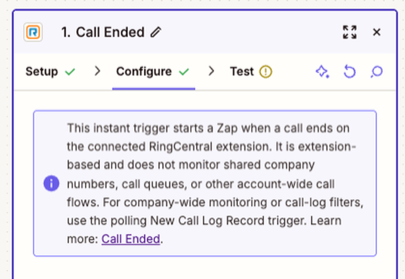
Use this instant trigger to start a Zap when a call ends on the RingCentral extension connected to the Zap. It is extension-based; it does not provide an account-wide scope for monitoring shared company lines or call queues.
Use it when a workflow for that extension needs to run as soon as a call is complete.
Configure
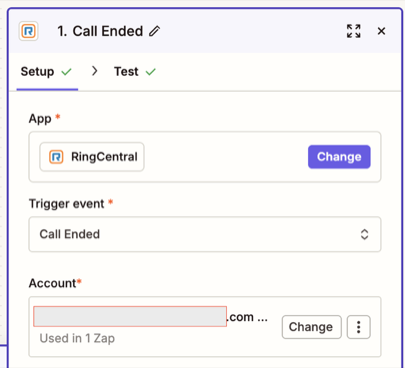
Add Call Ended as the trigger in your Zap and connect the RingCentral extension you want to monitor.
Choose the Right Trigger
For polling-based call history or account-level monitoring, including shared company lines and call queues, use New Call Log Record. Its guide covers extension-level or company-wide scope, access requirements, and filters. If you specifically need recorded calls, see New Call Recording.
Output
The Call Ended trigger returns call-event details as separate Zapier fields. The values depend on the call; extension fields can show No Data when the call has no associated RingCentral extension.
Call Details
- Direction: Call direction, such as Inbound or Outbound.
- Event Time: Date and time of the call event.
- Result: Call outcome, such as Accepted.
- Type: Event type. The sample shown is
Call.
Basic Call Information
- Session ID: Identifier for the call session.
- Telephony Session ID: Identifier for the telephony session.
Participant Information
From (Caller)
- From Phone Number and Name: Combined caller number and display name, when available.
- From Name: Caller name, when available.
- From Phone Number: Caller phone number.
- From Extension Number: Caller extension; this may show
No Datafor external callers.
To (Recipient)
- To Phone Number and Name: Combined recipient number and display name, when available.
- To Name: Recipient name, when available.
- To Phone Number: Recipient phone number.
- To Extension Number: Recipient extension; this may show
No Datafor external numbers.
Raw Data
The test sample shown in Zapier displays individual mapped fields and does not show a separate raw JSON field. For raw call-log data and its detailed-view options, see New Call Log Record.
Sample Output
This example uses synthetic values. Zapier displays the fields as individual outputs in the trigger test; available values can differ by call.
{
  "direction": "Outbound",
  "eventTime": "2026-01-15T10:32:00.000Z",
  "from": "+15551230001 (Caller)",
  "result": "Accepted",
  "sessionId": "example-session-id",
  "telephonySessionId": "example-telephony-session-id",
  "to": "+15551230002 (Support)",
  "type": "Call",
  "toExtensionNumber": "No Data",
  "toName": "Support",
  "toPhoneNumber": "+15551230002",
  "fromExtensionNumber": "No Data",
  "fromName": "Caller",
  "fromPhoneNumber": "+15551230001"
}