App Connect Developer Guide
App Connect developers build CRM integrations and logging extensions for RingCentral communications.
There are two extension types:
| Type | Use it for | Primary docs |
|---|---|---|
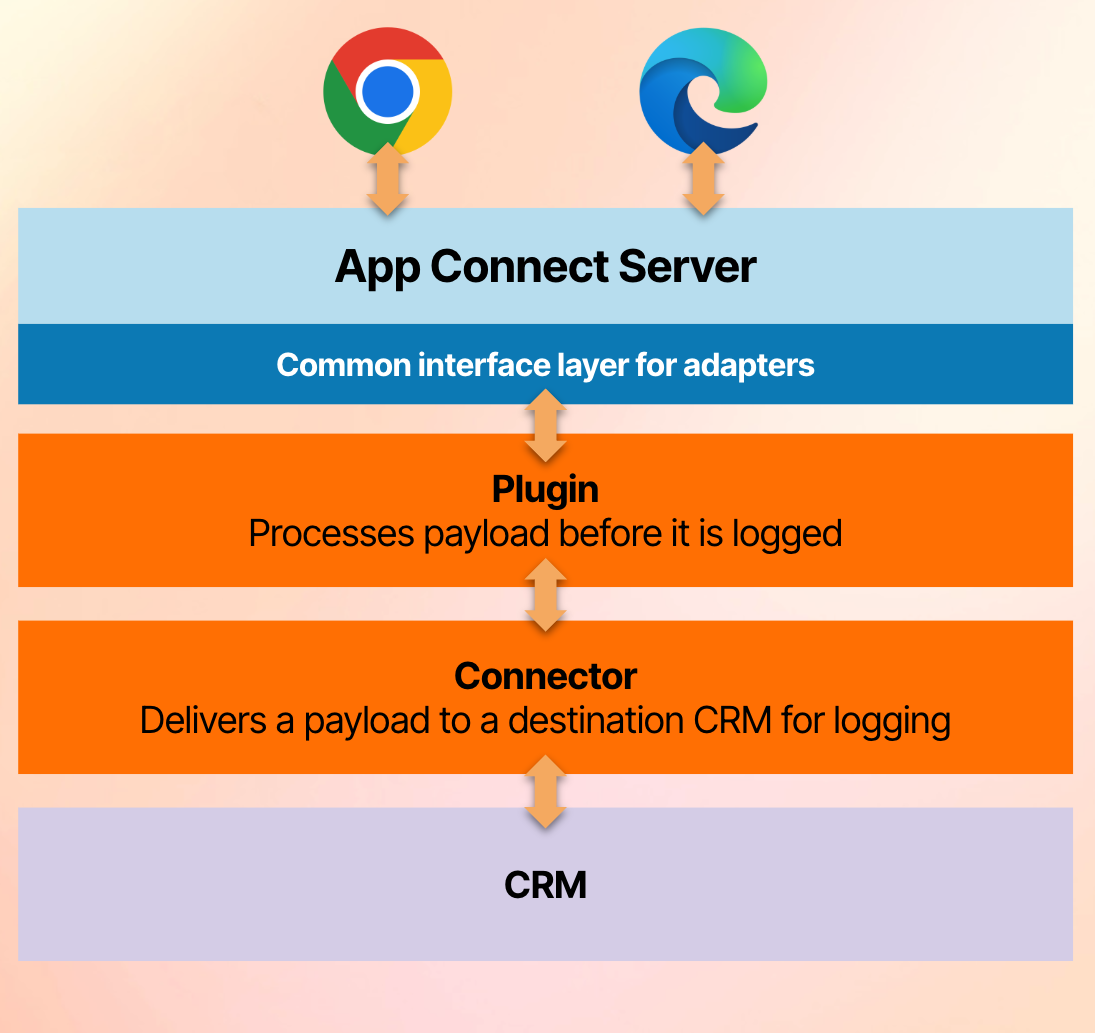
| Connector | Connect App Connect to a CRM or system of record. Connectors authenticate users, find contacts, create contacts, and log calls/messages. | Connector quick start |
| Plugin | Process logging payloads before or alongside connector logging. Plugins can enrich data, transform payloads, or perform side effects. | Plugin guide |
Build a connector in a couple hours using our Claude skill
The App Connect Claude Plugin scaffolds, wires up, and tests a connector for you — auth, contact matching, call logging, and deploy included.
Connector Architecture
A connector has two parts:
| Part | Purpose |
|---|---|
| Manifest | Describes the connector profile, auth page, CRM URLs, log form fields, custom settings, server-side logging support, and optional features. |
| Server implementation | Exports connector interface functions such as getUserInfo, findContact, createCallLog, and updateCallLog. |
The shared runtime in @app-connect/core handles HTTP routes, user persistence, token refresh, managed auth, server-side logging orchestration, contact caching, plugins, logging composition, and optional MCP/appointment surfaces. Your connector code supplies CRM-specific behavior.
Connector Modes
| Mode | Description |
|---|---|
| Code connector | A Node.js connector registered with connectorRegistry.registerConnector(). Best for custom CRM logic. |
| Proxy connector | A low-code JSON proxy configuration managed in the Developer Console. Best for simple REST APIs. |
| Interface-only connector | Individual functions registered with connectorRegistry.registerConnectorInterface(). Useful for composing methods without changing the original connector object. |
Start with the quick start, then use the interface contract as the source of truth for server methods.
What App Connect Provides
App Connect builds on RingCentral Embeddable and supplies:
- inbound and outbound calling workflows
- SMS, fax, voicemail, and shared SMS logging
- CRM contact lookup and call pop
- manual and automatic call logging
- optional server-side call logging
- custom CRM settings and admin-managed settings
- managed OAuth and managed API-key fields
- plugin execution before or alongside CRM logging
- optional appointment support for connectors that implement it