Using the RingCentral AI Assistant
App Connect's AI Assistant is currently in BETA
In App Connect, RingCentral's AI Assistant helps save you time by taking critical call notes for you, so that you can place a greater focus on the person you are speaking with.
Turning on AI Assistant
App Connect's AI features are currently in beta. During this phase, you can enable these features by navigating to Settings > Advanced features and toggling "Smart Note (Beta)" on.
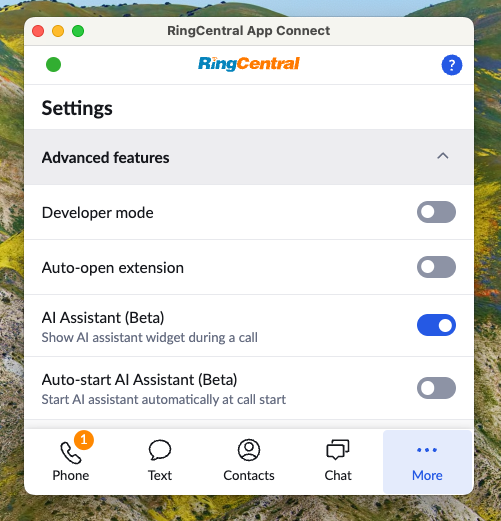
AI assistant can be enabled independently on every device
Disabling AI Assistant in App Connect will not disable AI assistent in the RingCentral desktop application, and vice-versa.
Auto-enabling AI Assistant
Users can toggle the "Auto-start AI Assistant" feature to automatically generate smart notes and transcription for every call.
Live transcription
AI Assistant, when enabled for your phone call, will show you a live transcript of your call.
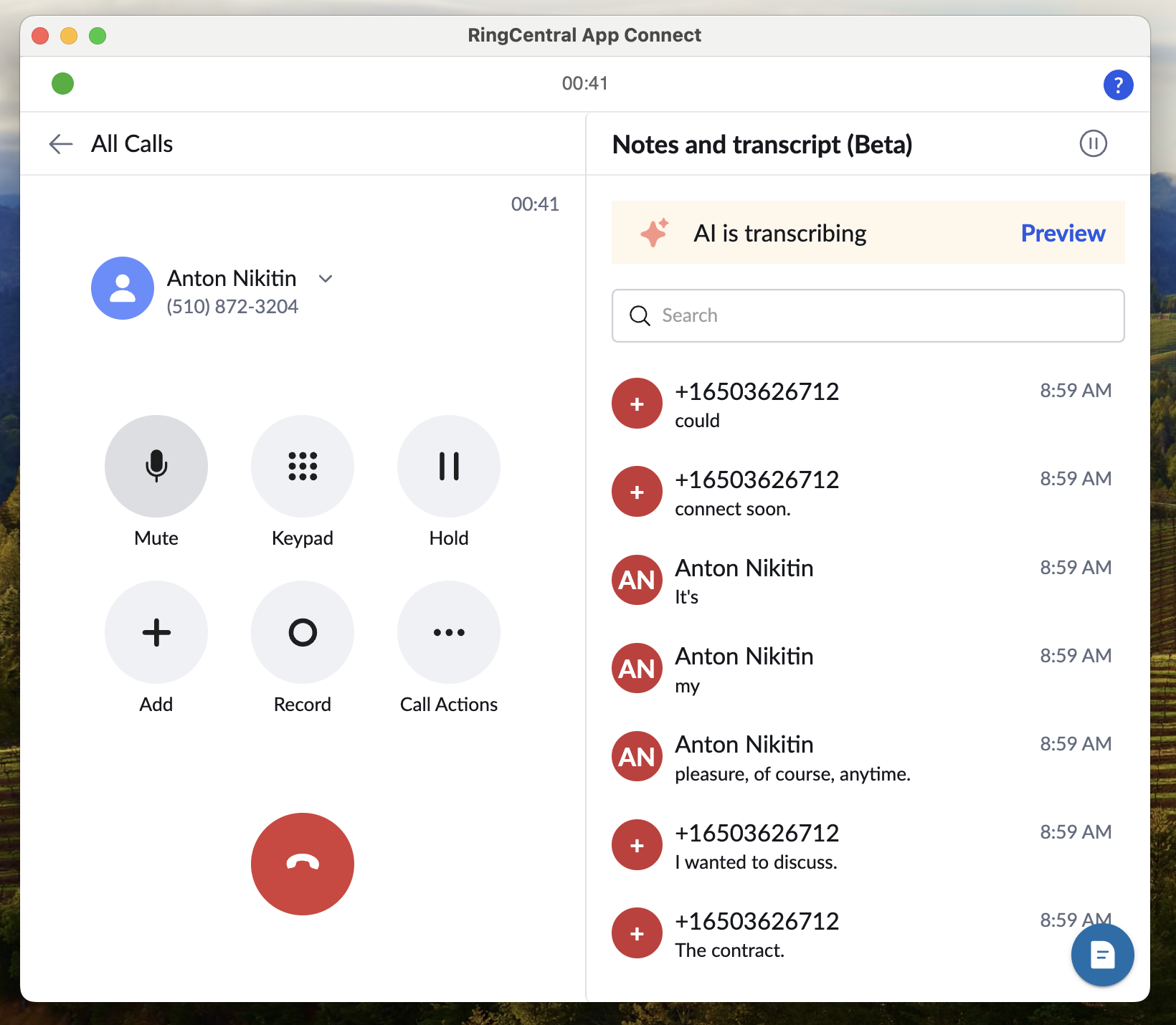
AI generated summaries, action items and more
When your phone call is complete, AI Assistant will process the phone call to generate a number of artifacts to help you in key follow-up activities. AI Assistant will generate the following:
- Transcript
- Call summary
- Recap of key take aways
- Tasks and action items
- Decisions made
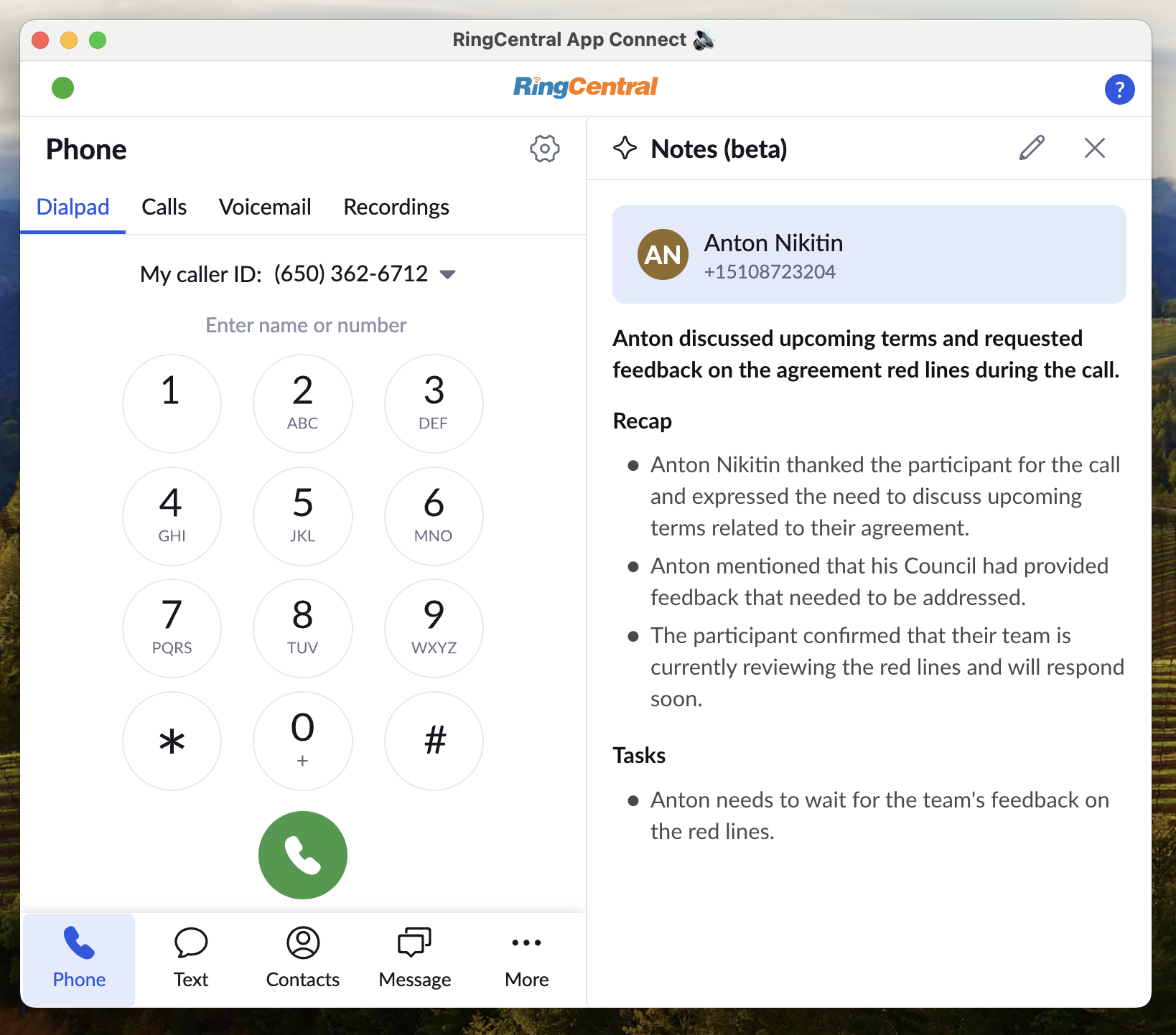
Logging AI artifacts in your CRM
Free during the App Connect 2.0 introductory period
Logging transcripts, summaries, and other insights generated by App Connect's built-in AI Assistant to your CRM is available at no additional cost during the introductory period of App Connect 2.0. In a future release, this capability may come at an additional cost, and RingCentral has not yet determined whether a RingCentral ACE license will be required at that time. We encourage customers to take full advantage of this capability while it's available at no extra cost. This introductory offer does not apply to RingCentral ACE, which is licensed separately and is not affected by this period.
See What does App Connect cost? for the full picture.
App Connect has the ability to log all AI-generated artifacts in your CRM, making sure your system of record has a complete record of the phone call.